
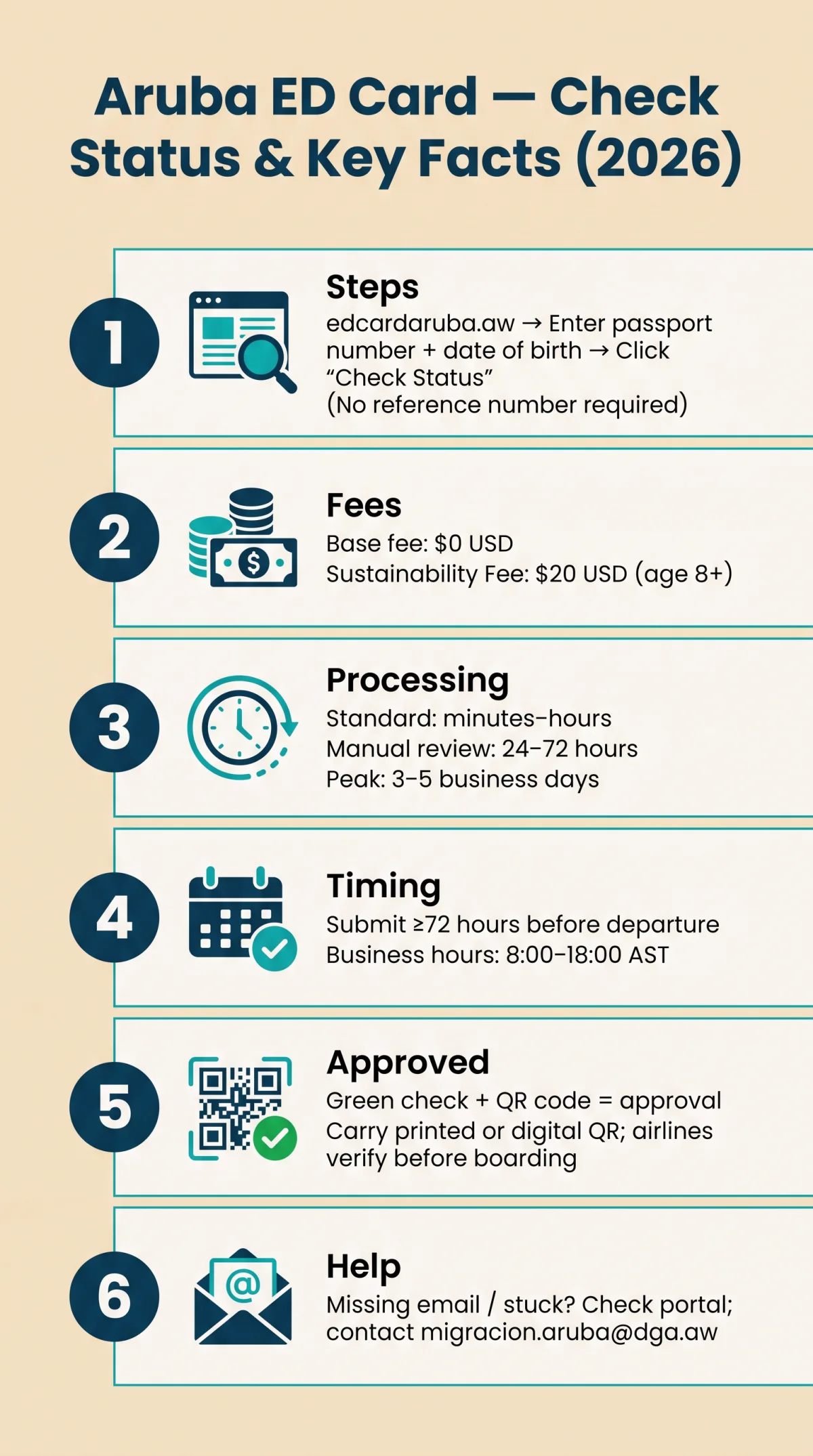
To perform an Aruba ED Card status check, visit edcardaruba.aw, enter your passport number and date of birth, and click “Check Status.” Most applications are approved within minutes to a few hours, though manual reviews can take 24 to 72 hours. The Aruba ED Card (Embarkation/Disembarkation Card) is a mandatory electronic pre-registration required for all visitors to Aruba, including US citizens traveling visa-free for up to 90 days. It is not a visa and does not guarantee entry. The base application is free ($0 USD), but a mandatory Sustainability Fee of $20 USD applies to visitors aged 8 and older. Approval confirmation includes a green checkmark and QR code sent via email from edcardaruba.aw.
How to Check Your Aruba ED Card Status Online: Step by Step
Navigate to edcardaruba.aw, enter your passport number and date of birth, and click “Check Status.” The $0 USD base fee is free; the $20 USD Sustainability Fee applies for visitors aged 8+. An Aruba ED Card status check requires no reference number.
Go to edcardaruba.aw
The government portal for application processing.
Locate the “Check Your Status” section
Find it on the homepage.
Enter your passport number
Exactly as it appears on your submitted application.
Enter your date of birth
No reference number is required for this lookup.
Click “Check Status” and read the result
A green checkmark and QR code indicate approval.
Submit your application 72 hours before departure to ensure a smooth Aruba ED Card status check and timely boarding pass issuance.
Understanding ED Card Status Labels and Processing Times in 2026
After you submit your application on edcardaruba.aw, the portal displays one of four status labels when you use the Aruba ED Card status check tool. Processing times range from minutes to 72 hours depending on the review scenario.
| Status Name | Visual Indicator | Typical Duration | Recommended Action |
|---|---|---|---|
| Submitted | None | Minutes | Wait for initial review |
| Pending Review / In Process | Yellow clock icon | Few hours to 24h | Monitor via portal |
| Approved | Green checkmark + QR code | Complete | Print or save confirmation |
| Rejected | Red indicator | Complete | Review reason and resubmit |
Automatic approval takes minutes for complete applications; standard review requires a few hours; manual review spans 24-72 hours when triggered by name mismatches or incomplete data. Peak-season delays (Dec-Jan, Easter, US spring break) extend to 3-5 business days. Submit during 8:00-18:00 AST business hours and pay the $20 USD Sustainability Fee (visitors aged 8+, implemented July 2024) to avoid processing delays. The system processor is RADEX BCMS. An approved ED Card is valid only for the specified travel dates. Processing times listed here reflect DIMAS guidelines verified in 2026; for real-time updates, always perform an Aruba ED Card status check on edcardaruba.aw.
Troubleshooting: Missing Confirmation Email and Stuck “Pending” Status
If your confirmation email is missing, perform an Aruba ED Card status check on the portal. If issues persist beyond 24 hours, contact DIMAS at [email protected].
Part 1: Missing confirmation email
- Check spam/junk folders: Gmail, Outlook, and Yahoo may filter emails from the .aw domain.
- Verify the email address you entered during application for typos.
- Perform an Aruba ED Card status check directly on edcardaruba.aw using your passport number and date of birth.
- If no email and no portal update after 6 hours, contact DIMAS at [email protected] or visit the immigration portal at dga.aw.
Tip: whitelist the edcardaruba.aw sender in your contacts before applying.
Part 2: Status stuck on “Pending”
< 12 hours
Normal processing window, check again later.
12 to 24 hours
Verify application completeness (passport, travel dates, contact info).
24 to 48 hours
Contact DIMAS with your reference number and proof of travel (flight booking).
48 to 72 hours
Escalate with flight itinerary, hotel reservation, and urgency note.
Manual review triggers include name mismatches, frequent travelers, and incomplete fields. An Aruba ED Card status check after 72 hours with no resolution warrants immediate escalation to DIMAS.
Validity, Airline Verification, and Editing Your Approved ED Card
An approved Aruba ED Card is valid only for your travel dates, airlines verify it at check-in. Carry a printed QR code.
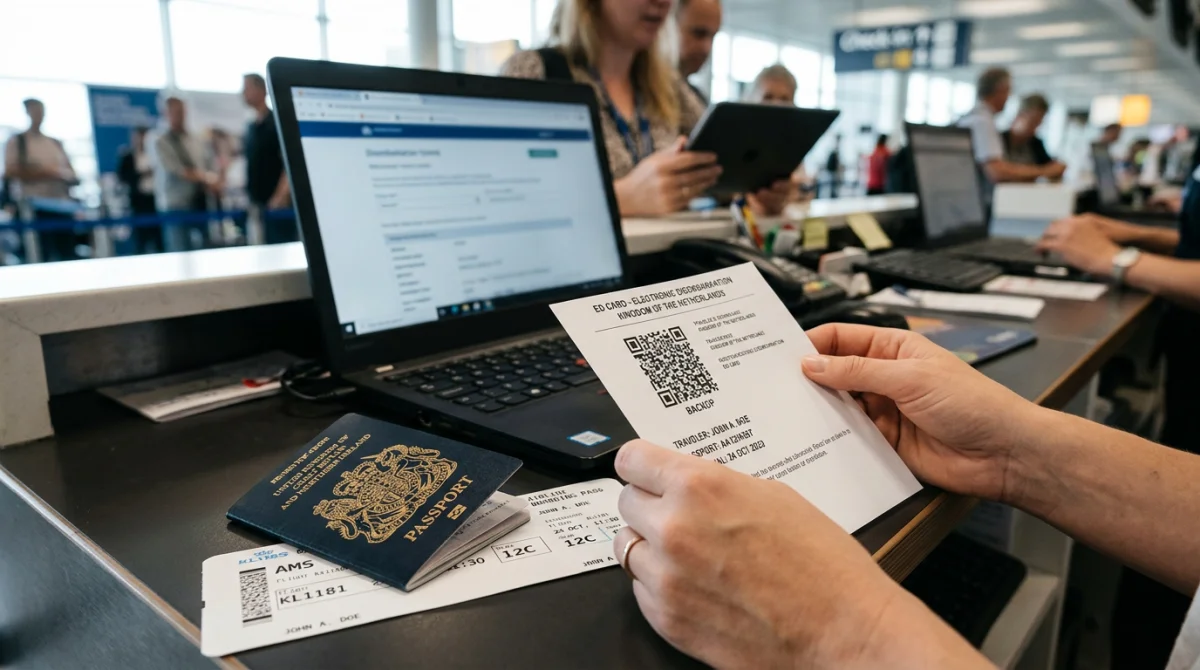
Approval is tied to the submitted travel dates and does not guarantee entry; final immigration screening occurs on arrival. Airlines (JetBlue, United, American, Delta) verify approval before issuing a boarding pass. Carry a printed or digital QR code.
One application covers an entire family, but each passenger is listed separately. Run the Aruba ED Card status check for each individual using their passport number. After approval, flight date or hotel changes can be edited directly on edcardaruba.aw. A passport change requires a new application; a name or date of birth change requires a new application plus contacting DIMAS at [email protected].
FAQ
How long does it take to get an Aruba ED Card approved in 2026?
Standard approval: minutes to hours; manual review: 24-72 hours; peak periods (Dec-Jan, Easter, US spring break): 3-5 business days. Perform an Aruba ED Card status check after submission to confirm approval.
Can I check my ED Card status without my application reference number?
Yes. Visit edcardaruba.aw, enter your passport number and date of birth, then click “Check Status.” The Aruba ED Card status check does not require a reference number.
Does Aruba ED Card approval guarantee entry into the country?
No. The ED Card is mandatory pre-registration, not a visa. When your Aruba ED Card status check shows “Approved,” final immigration screening is conducted on arrival by DIMAS.
Can I check the status for my whole family at once?
One application covers an entire family, but each passenger is listed separately. Enter each person’s passport number and date of birth individually on edcardaruba.aw for an Aruba ED Card status check.
How do I know I’m on the correct ED Card website?
The only authoritative domain is edcardaruba.aw (.aw extension). Beware of lookalike sites charging extra fees. The base application is $0 USD; the Sustainability Fee is $20 USD for visitors aged 8+. Perform your Aruba ED Card status check only on edcardaruba.aw.
Do airlines verify my ED Card before boarding?
Yes. JetBlue, United, American, and Delta verify approval before issuing a boarding pass. After your Aruba ED Card status check confirms approval, carry a printed or digital QR code.
Can I edit my ED Card after it’s been approved?
Flight date or hotel changes can be edited on edcardaruba.aw. A passport change requires a new application. A name or date of birth change requires a new application plus contacting DIMAS at [email protected]. Verify details before your Aruba ED Card status check.
Are there times of year when ED Card processing takes longer?
Yes. Delays occur during December-January, Easter, and US school spring breaks (3-5 business days). Use the Aruba ED Card status check on edcardaruba.aw and submit at least 72 hours before departure during peak periods.
What should I do if my ED Card application is rejected?
Review the rejection reason, correct the errors, and resubmit. If the reason is unclear, contact DIMAS at [email protected]. Perform an Aruba ED Card status check after resubmission to confirm the new application is processed.