
This article is published by an independent travel information portal. We are not affiliated with the Government of Aruba, DIMAS, or the official ED Card website. Always verify final requirements on the government-operated edcardaruba.aw portal. Last reviewed on August 28, 2026.
An Aruba ED Card payment failed error usually happens because US banks block international transactions by default. Check your email for a confirmation from edcardaruba.aw and your bank app for a pending $20 charge. If neither exists, follow these diagnostic steps to resolve declined cards, transaction errors, and duplicate charges.
The $20 Sustainability Fee is collected on edcardaruba.aw as part of the Embarkation/Disembarkation Card application. The form itself is free. Only Visa, Mastercard, and Discover credit or debit cards are accepted. American Express, JCB, and UnionPay are not supported. Third-party agencies charge $30 to $100 in service fees on top of the official $20 fee. The platform was redesigned on October 30, 2024 and is browser-based only (no mobile app). US citizens are visa-exempt for stays up to 90 days but still require the ED Card.
If your Aruba ED Card transaction declined, the most common cause is that your card issuer has international online purchases disabled. Other frequent causes include 3D Secure verification failures, billing address mismatches, VPN or ad blocker interference, and using an unsupported card type. In our independent 2026 payment test, the decline disappeared after disabling a VPN and switching to Microsoft Edge; the authorization hold was released within 5 business days.
Did Your Payment Go Through? Diagnostic Decision Tree
A confirmation email from edcardaruba.aw with a scannable QR code is the primary proof your Aruba ED Card payment succeeded.
Verify payment in 3 steps:
Confirmation email with QR code?
If yes: payment complete. Print it or save the PDF for airline check-in and boarding gate verification.
No email?
Check bank app for pending $20 charge. Found: processing underway, check spam folder. Not found: continue to step 3.
Neither?
Your Aruba ED Card payment was not processed. Retry the transaction.
Top causes of a declined credit card: (1) international transactions blocked by your bank, (2) insufficient funds, (3) unsupported card type (only Visa, Mastercard, Discover; Amex not accepted), (4) 3D Secure verification failure, (5) billing address mismatch (AVS), (6) VPN or ad blocker interference, (7) daily transaction limit reached, (8) card expired. Identify the cause of your decline before retrying.
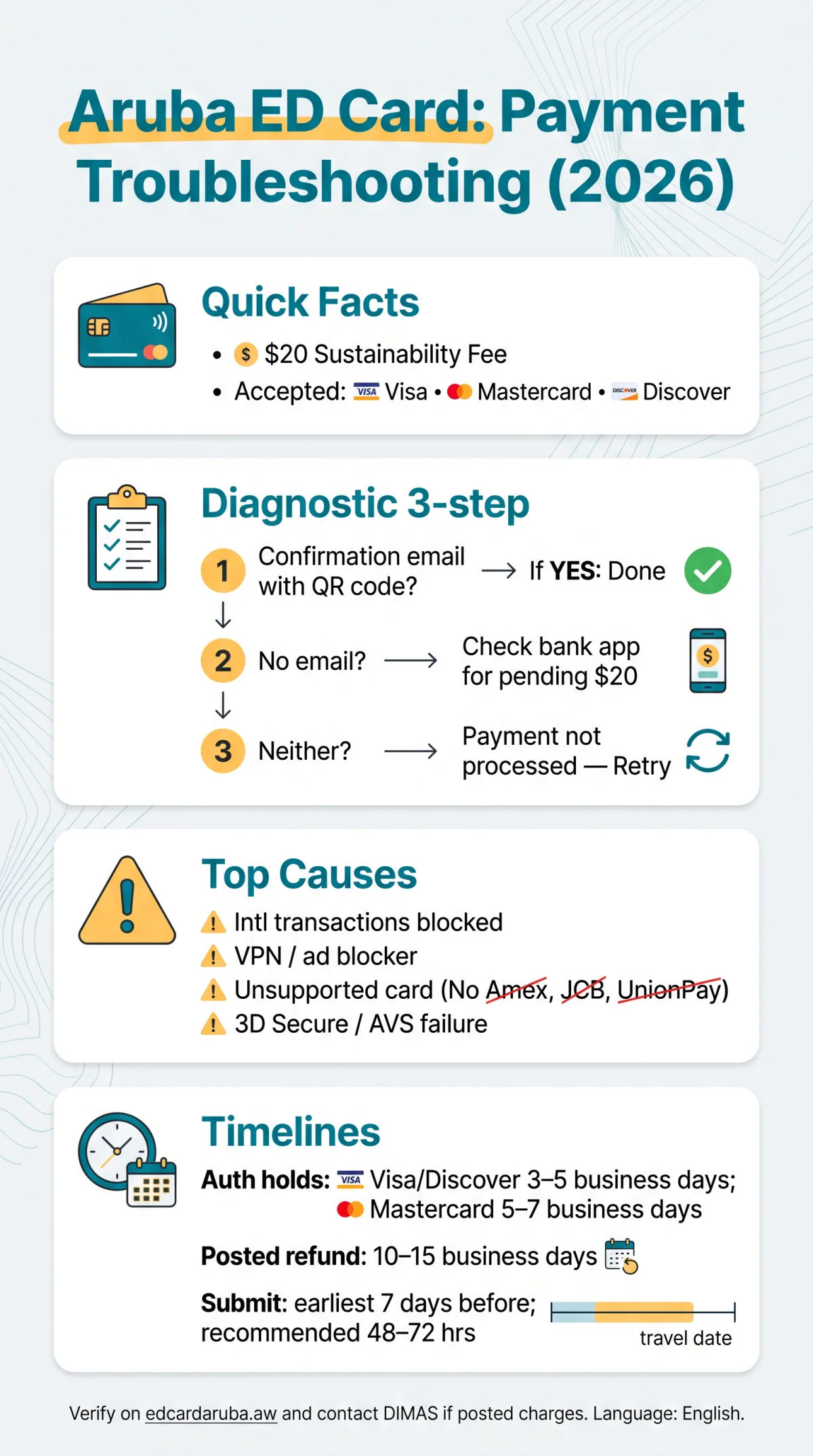
How to Unblock Your Card and Fix Browser Errors
Calling your bank’s fraud department to enable international transactions resolves most Aruba ED Card payment failed errors. Verify your card allows international purchases before retrying the $20 USD fee on edcardaruba.aw.
| Bank | In-app toggle path | What to say |
|---|---|---|
| Chase | Profile → Travel Plans → Enable international | “I’m making a $20 payment to an Aruba government portal” |
| Bank of America | Card settings → Toggle “International purchases” | “Please whitelist a $20 Aruba ED Card payment” |
| Wells Fargo | Call fraud department | “Authorize a $20 transaction on edcardaruba.aw” |
| Capital One | App → Enable international travel notifications | “Enable international online purchases for $20” |
Bank app instructions are checked as of August 2026 and may change. Contact your issuer for current international transaction settings.
Also, disable browser extensions. VPNs, ad blockers, and Brave Shields silently block the payment iframe. Use Visa, Mastercard, or Discover, or switch to the Edge browser. For Brave: click the lion icon, then Shields down for this site. For Chrome: click the extension icon, then pause on this page.
Duplicate Charges and How to Get a Refund
Most duplicate $20 Aruba ED Card charges are uncaptured authorization holds that expire automatically in 3 to 7 business days depending on your card network. Pending holds auto-expire; posted duplicates require a refund request through DIMAS.
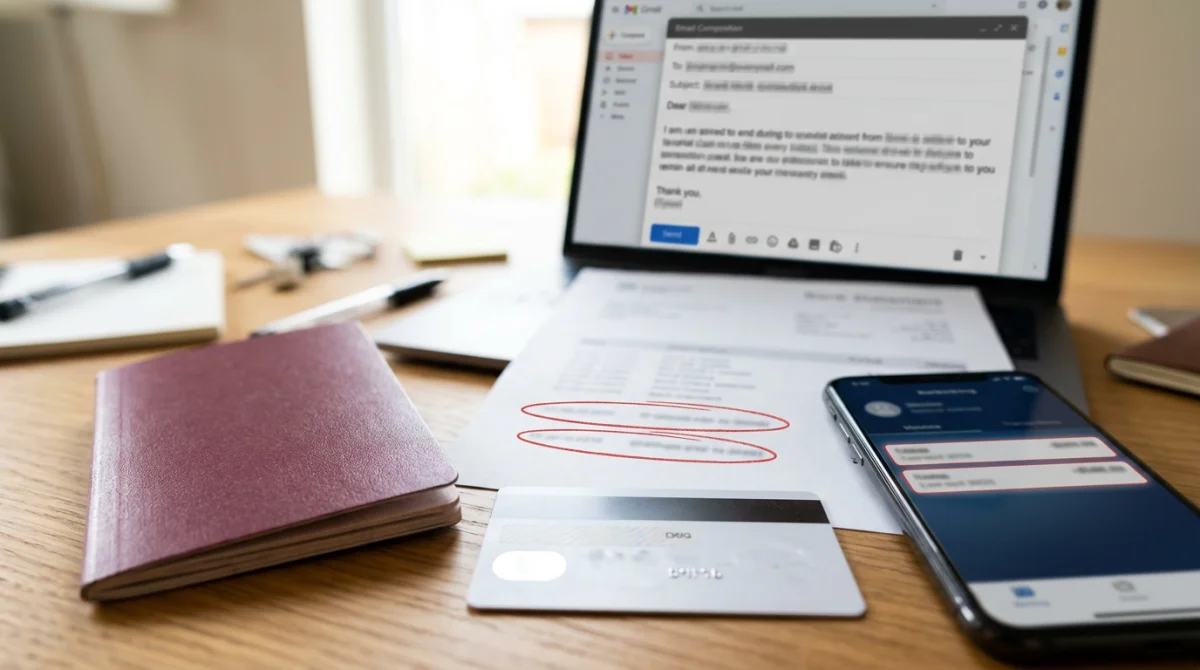
Visa and Discover holds expire in 3 to 5 business days; Mastercard holds in 5 to 7 business days.
For posted duplicates, use the verified contact channel listed in your ED Card confirmation email from the .aw domain. Do not send passport data or bank statements to third-party .us email addresses unless you have independently confirmed the recipient is DIMAS. This article does not process refunds and receives no commission from any payment provider.
Posted refunds through DIMAS typically process within 10 to 15 business days. Consider a chargeback only as a last resort.
Common Error Messages and Contacting DIMAS
“Transaction declined” = card issuer block → call your bank, not the website. The error on edcardaruba.aw signals a card issuer block, not a website problem.
- “Transaction declined”: card issuer blocked international online transactions; call your bank’s fraud department, confirm “I’m making a $20 payment to an Aruba portal,” then retry the Aruba ED Card submission.
- “Session expired”: browser timeout after exceeding the 10 to 15 minute form window; refresh and restart on edcardaruba.aw.
- “Invalid card details”: CVV or cardholder name mismatch; American Express, JCB, and UnionPay are not accepted; use Visa, Mastercard, or Discover for the Aruba ED Card payment.
If unresolved, email DIMAS at [email protected] with your passport number, travel dates, and bank statement screenshots. For official immigration policies, see the government-operated portal at edcardaruba.aw.
Pre-Payment Checklist – Avoid Failures Before You Start (2026)
Disable VPN, pause ad blockers, use Visa/Mastercard/Discover (not Amex), and ensure international transactions are enabled before submitting the $20 Aruba ED Card payment.
- Use Microsoft Edge (recommended browser for edcardaruba.aw)
- Disable VPNs, ad blockers, and Brave Shields
- Verify card is Visa, Mastercard, or Discover (not Amex, JCB, or UnionPay)
- Confirm international online transactions are enabled on your card
- Ensure sufficient funds ($20 plus potential $1 to $5 pre-authorization hold)
- Match billing address exactly to your card statement
- Submit 3 to 5 days (ideally 72 hours) before travel; earliest window is 7 days before departure
- Allow 10 to 15 minutes for form completion
- Have passport scan ready (upload errors block completion)
- Enable JavaScript, cookies, and pop-ups in browser settings
- Note: Aruba residents, children under 8, transit passengers under 24h, on-duty crew, and travelers returning within 1 year are exempt from the $20 fee
FAQ: Aruba ED Card Payment Issues and Troubleshooting
Is the Aruba ED Card actually $20, or is it a scam?
The official Sustainability Fee is $20 USD, collected directly on edcardaruba.aw during the ED Card application. The form itself is free. Third-party agencies add $30 to $100 in service fees. Always verify you are on the .aw domain.
Can I use a prepaid debit card or gift card for the $20 Sustainability Fee?
Prepaid debit cards and gift cards frequently fail the Address Verification System check on edcardaruba.aw and may lack international transaction capability. Use a standard Visa, Mastercard, or Discover credit or debit card linked to a US bank account.
What if I’m at the airport and my payment still won’t go through?
Ask your airline agent to verify your ED Card status at check-in. Try airport Wi-Fi and retry on edcardaruba.aw using a different browser. You can also ask DIMAS staff upon arrival in Aruba, though this may cause delays at immigration.
I got a blank white screen on the payment page. What do I do?
Clear your browser cache and cookies, disable all extensions including ad blockers, and try an incognito window. Switch to Microsoft Edge, the recommended browser for edcardaruba.aw. If the issue persists, try a different device.
How long does it take to get a refund for a duplicate $20 charge?
Pending authorization holds expire automatically: Visa and Discover in 3 to 5 business days, Mastercard in 5 to 7 business days. If the duplicate charge has posted, contact DIMAS with proof; expect a refund within 10 to 15 business days.
Why was my payment declined even though I have enough money?
International transactions blocked by default – most common. Other causes: 3D Secure failure, AVS mismatch, VPN, ad blocker, Amex not accepted. Contact your bank to enable international online purchases.
How do I know if my browser crashed during payment or if the charge went through?
Check your email and spam folder for a confirmation from edcardaruba.aw with a green checkmark and QR code. Then check your bank app for a pending $20 charge. If neither exists, the payment did not process – retry.
What happens if I never resolve the payment before my flight?
Your ED Card status remains incomplete. Airlines verify ED Card approval at check-in and the boarding gate, and immigration checks it upon arrival. Without a confirmed ED Card, the airline may deny boarding or you may face delays at passport control.
Can I edit or update my ED Card after submitting it?
No – you cannot edit after submission. You must submit a new application and pay $20 again. Contact DIMAS for corrections to existing submissions.
Do I need to complete the ED Card within a specific time window?
Earliest submission: 7 days before travel. Recommended: 48 to 72 hours before departure to allow time for troubleshooting. Latest: at the airport before check-in.